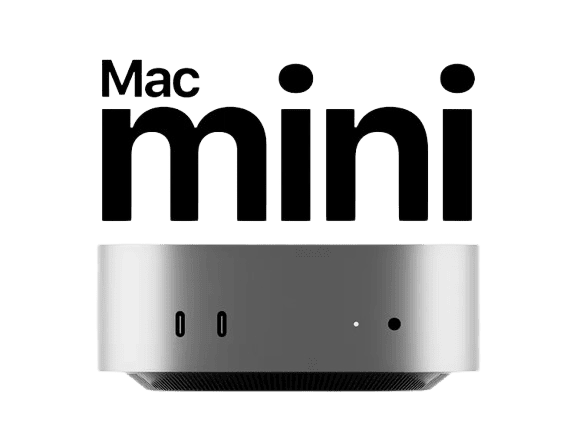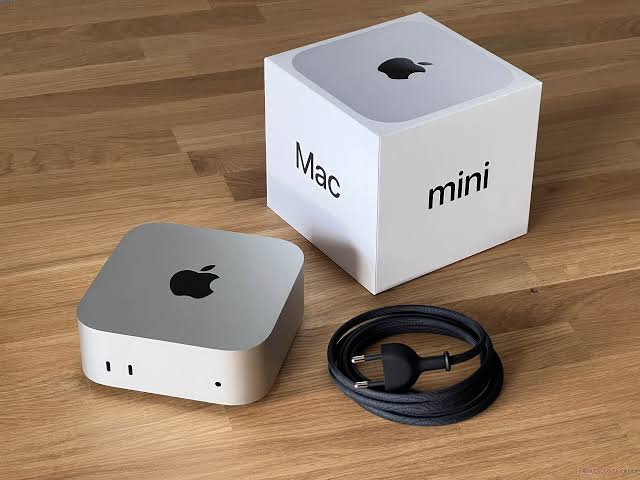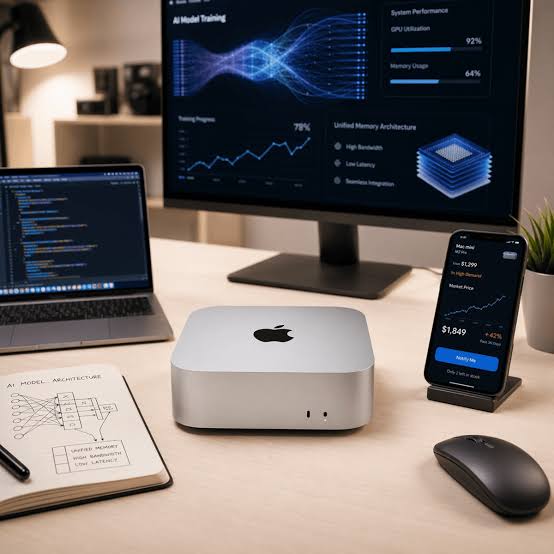
A Mac mini is often associated with desktop computing, media use, or Apple's development ecosystem. However, its compact size and macOS environment also make it useful for certain development server workloads.
A development server does not always need to be a large rack-mounted machine. For some projects, a small dedicated computer can provide enough processing power, storage, and connectivity to handle development-related tasks continuously.
This makes the Mac mini an interesting option for developers who need a dedicated macOS environment.
What Makes a Mac Mini Suitable for Development Server Work?
A development server needs to provide a stable environment where software and development tools can run consistently.
A Mac mini can be configured with development tools, repositories, automation software, databases, testing environments, and other services depending on the project.
Its compact form factor is also useful when physical space is limited. Instead of dedicating a large workstation to development services, a small computer can perform specific tasks while remaining accessible through remote management tools.
The suitability of a Mac mini ultimately depends on the workload, available memory, storage, processor performance, and software requirements.
1. Running Development Tools
One common use case is hosting development tools that need to remain available for extended periods.
Developers can install programming languages, package managers, command-line utilities, development frameworks, and other software required by a project.
Keeping these tools on a dedicated machine can also create a consistent environment. Instead of repeatedly configuring development dependencies on different computers, the required environment can remain installed and maintained on one machine.
This can be particularly useful for projects that require a specific macOS version or Apple development software.
2. Remote Development
A Mac mini does not have to be used directly with a monitor and keyboard.
Developers can access the machine remotely using tools such as SSH or remote desktop software. This allows the Mac mini to remain in another room, office, or data centre while development tasks are managed remotely.
SSH is particularly useful for command-line tasks, scripts, software installation, file management, and automation.
Remote desktop access is more suitable when a graphical interface is required, such as working with development applications or graphical configuration tools.
The combination of SSH and remote desktop access can provide flexibility depending on the task.
3. Software Testing
A dedicated Mac can also be used as a testing environment.
Developers may need to test software against a particular operating system version, hardware environment, or set of dependencies. Having a separate machine makes it possible to maintain that environment independently from a primary development computer.
For example, a testing machine could be configured with a specific version of Xcode and the dependencies required by an application.
This can help reduce unexpected differences between development environments.
4. Automated Development Tasks
A development server can handle tasks that do not require constant manual interaction.
Scripts can be scheduled to perform activities such as:
- Running automated tests
- Processing files
- Synchronising repositories
- Creating software builds
- Generating reports
- Running scheduled maintenance tasks
Automation becomes particularly useful when repetitive tasks would otherwise consume developer time.
A dedicated machine can remain available to execute these tasks without requiring the developer's primary computer to stay switched on.
5. Git Repository Workflows
Version control is an important part of modern software development.
A Mac mini can participate in Git-based workflows by accessing repositories, running scripts, checking code, or performing automated tasks after changes are submitted.
For example, a repository workflow could trigger a script whenever new code is pushed. The Mac mini could then download the latest changes, install dependencies, run tests, and report the result.
The exact workflow depends on the tools and services used by the development team.
6. macOS-Specific Development
One of the biggest advantages of using a Mac mini as a development server is access to macOS.
Certain development tools and workflows are designed specifically for Apple's operating systems. Xcode is a good example.
Developers working on Apple-platform applications may need a Mac environment for compiling, testing, signing, and preparing applications for distribution.
A dedicated Mac mini can therefore serve as a specialised machine for these tasks without necessarily being the primary computer used for every part of development.
Developers interested specifically in improving iOS build workflows can also explore Optimizing iOS Build Pipelines With Dedicated Cloud Mac Minis.
7. Using a Mac Mini as a Remote Development Machine
A Mac mini can also act as a remote development environment.
Instead of keeping the machine on a developer's desk, it can be placed in a suitable location and accessed through a secure network connection.
This approach can be useful when a developer needs access to macOS from different locations or wants to keep development hardware separate from everyday computing equipment.
However, remote development depends heavily on network quality. A stable and responsive connection is important for interactive work, particularly when using remote desktop software.
Security should also be considered carefully. Remote access should use strong authentication, protected credentials, and appropriate network controls.
Choosing the Right Mac Mini Configuration
Not every development workload requires the same hardware.
When choosing a Mac mini for development server use, several factors should be considered.
Processor
The processor affects compilation, testing, automation, and other compute-intensive tasks.
Memory
RAM becomes increasingly important when running multiple applications, simulators, services, or development environments simultaneously.
Storage
Fast SSD storage can improve project loading, dependency installation, repository operations, and build-related tasks.
Network
A reliable network connection is important for remote access, repository operations, software downloads, and automated workflows.
Operating System
The required macOS version should be compatible with the development tools and applications used by the project.
Choosing hardware based on the actual workload is generally more useful than simply selecting the highest available specifications.
Hosted Mac Mini vs Physical Mac Mini
Developers have different ways to use a Mac mini.
A physical Mac mini can be purchased and maintained directly. This provides full control over the hardware and environment but also means handling electricity, networking, maintenance, and hardware replacement.
Another option is using a hosted Mac mini.
For developers interested in dedicated remote Apple hardware, BlendHosting Mac Mini is one example of a hosted Mac environment that can be accessed remotely.
The right approach depends on how frequently the machine will be used, the level of control required, and whether managing physical hardware is practical.
When Does a Mac Mini Make Sense as a Development Server?
A Mac mini can make sense when a project requires a dedicated macOS environment but does not need a large server infrastructure.
It can be useful for:
- macOS-specific development
- iOS application development
- Automated testing
- Software builds
- Development scripts
- Remote development
- Git-based workflows
- Scheduled development tasks
It may not be suitable for every workload. Applications requiring large amounts of memory, specialised hardware, or heavy parallel processing may need more powerful infrastructure.
The important factor is matching the machine to the workload rather than treating the Mac mini as a universal server.
Final Thoughts
A Mac mini can be more than a compact desktop computer. With the right configuration, it can function as a dedicated development machine for testing, automation, remote development, software builds, and macOS-specific workflows.
Its main advantage is the combination of a relatively small form factor with access to the macOS environment and Apple's development tools.
For developers who need a dedicated macOS machine, the decision ultimately depends on the project's requirements, expected workload, access method, and infrastructure preferences.
A Mac mini may not replace every type of development server, but for the right workload, it can provide a practical and focused development environment.
Comments
Join the discussionNo comments yet. Be the first to comment.